










Gamdom Real-Money Test: $84.12 Withdrawal in 3m

Alawode Tolulope Samuel
Content Writer, Bonus & Real-Money Tester
Samuel is an experienced iGaming writer and casino tester with over 10 years of experience reviewing online casinos, testing games, and evaluating gambling platforms.
View profile
Gamdom Casino
Tested on
- Deposit
- 50
USDT - Credited in 1 min
- Withdrawal
- 84.12
USDT - Paid out in 3 min
- Payment method
-
 ByBit
ByBit
Our verdict
Gamdom scored 8.2/10 in my hands-on test. Registration took about 15 seconds; my 50 USDT deposit arrived in around one minute, and I successfully withdrew 84.12 USDT in three minutes with Turbo selected. For the BEP20 withdrawal I tested, the displayed fee was $0.00, and the full 84.12 USDT reached my wallet.
I also found Gamdom’s activity tracker useful because it showed my wagering, number of rounds, and net profit. The 15% rakeback offer generated $0.55 during my session, although the reward was credited to my USD balance rather than the USDT balance I had been using.
The weaker parts of my test were the game selection for my own preferences and the lack of a deposit bonus. I did not find the crash and specialty games I usually play, and the 15% rakeback rate was limited to my first seven days. Support was quick throughout the test: the bot answered within seconds, and a human agent joined almost immediately after I requested a transfer.
Overall score
Average of 6 categories
Score: 8.2 out of 10 Great
What impressed us
- My 50 USDT deposit arrived in about one minute
- The activity tracker showed my wagering, rounds played, and net profit
- My 84.12 USDT withdrawal arrived in about three minutes
What to know
- I did not find some of the crash and specialty games I usually play
- The 15% rakeback offer applied only during my first seven days
- My $0.55 rakeback was credited to my USD balance rather than my USDT balance
I Put Gamdom to a Real-Money Test
I ran a hands-on  Gamdom casino test with real money to see what actually happens from registration to withdrawal. I created an account in about 15 seconds, deposited 50 USDT, tested several games and the 15% rakeback offer, contacted customer support, and successfully withdrew 84.12 USDT.
Below, I break down exactly what happened during my test, including deposit timing and fees, gameplay, activity tracking, rakeback rewards, support response times, and how long my withdrawal took.
Want to see how I arrived at these scores? Follow my Gamdom test step by step below, from registration and a real USDT deposit to gameplay, rakeback, withdrawal, and customer support.
Step 1 · Registration
Score: 9.0 out of 10 Excellent
Gamdom Registration Took About 15 Seconds
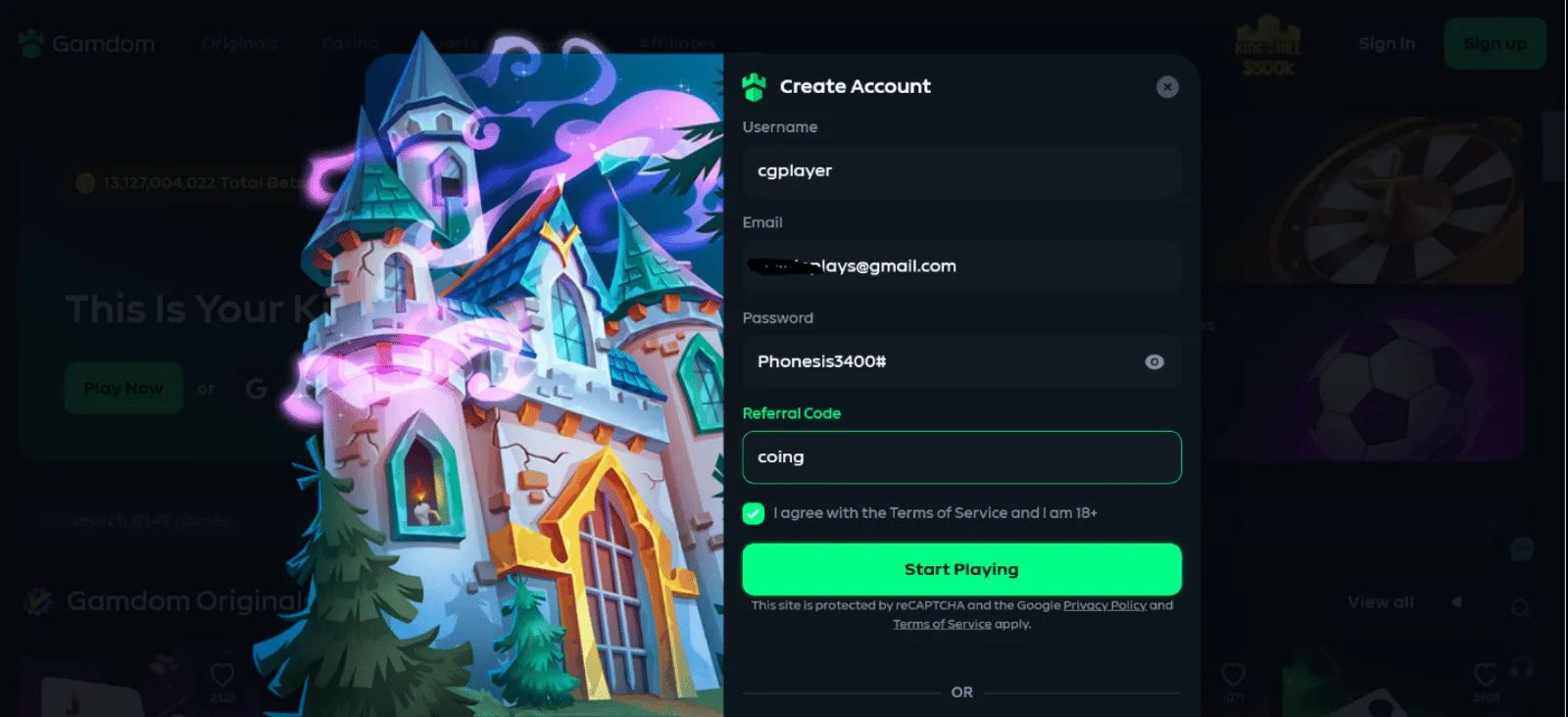
There wasn’t much to fill in before I could start playing. I entered my username, email, password, and the “Coing” referral code to get started. That took just around 10 seconds.
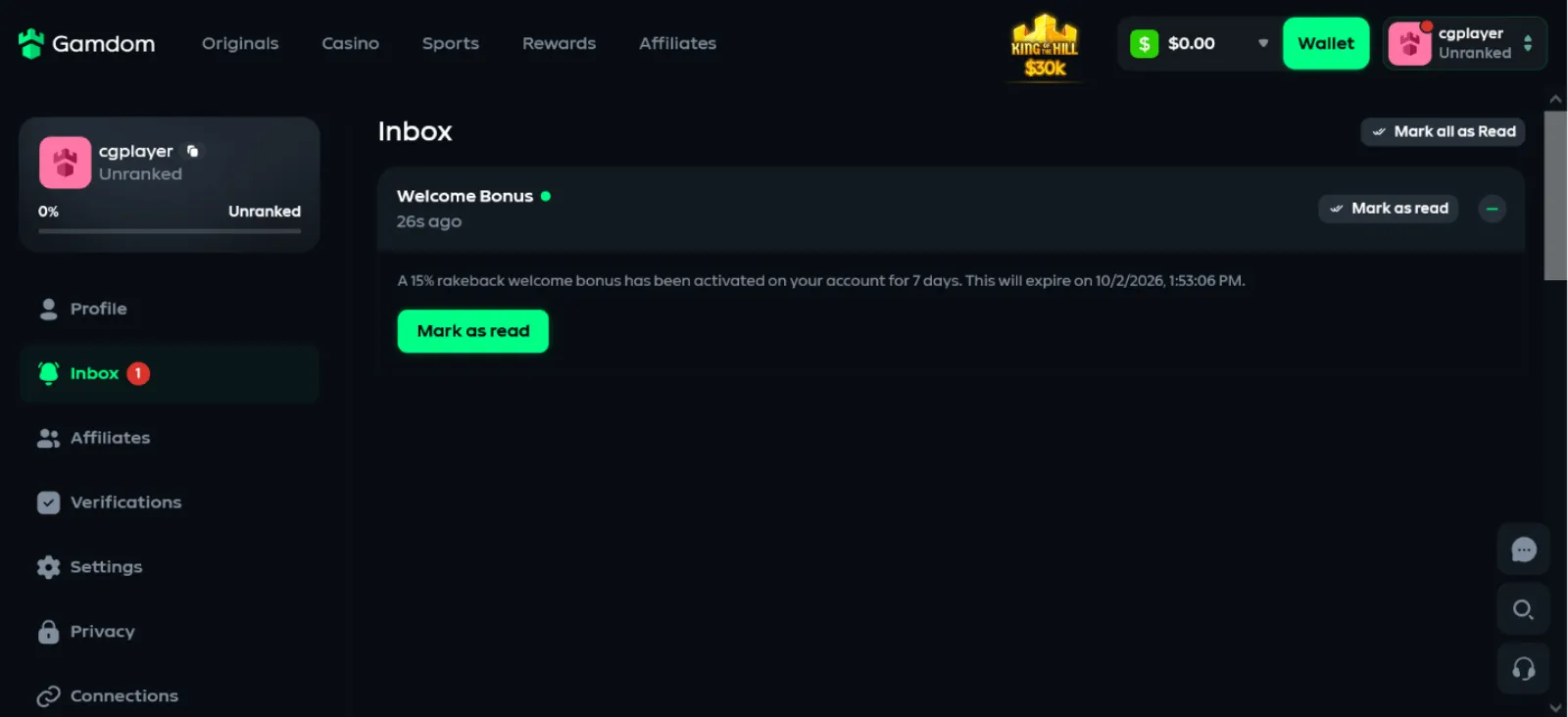
Less than 5 seconds after I hit the “Start Playing” button, I gained access to my new account. The 15% rakeback welcome bonus was the first message I got on the site.
There was also a brief notice reminding me to verify my email address. I decided to leave that for later and continued my Gamdom casino test.
Step 2 · Deposit
Score: 9.0 out of 10 Excellent
My 50 USDT Gamdom Deposit Arrived in 1 Minute
- Amount
- 50
USDT - Credited in
- 1 min
- Payment method
- ByBit
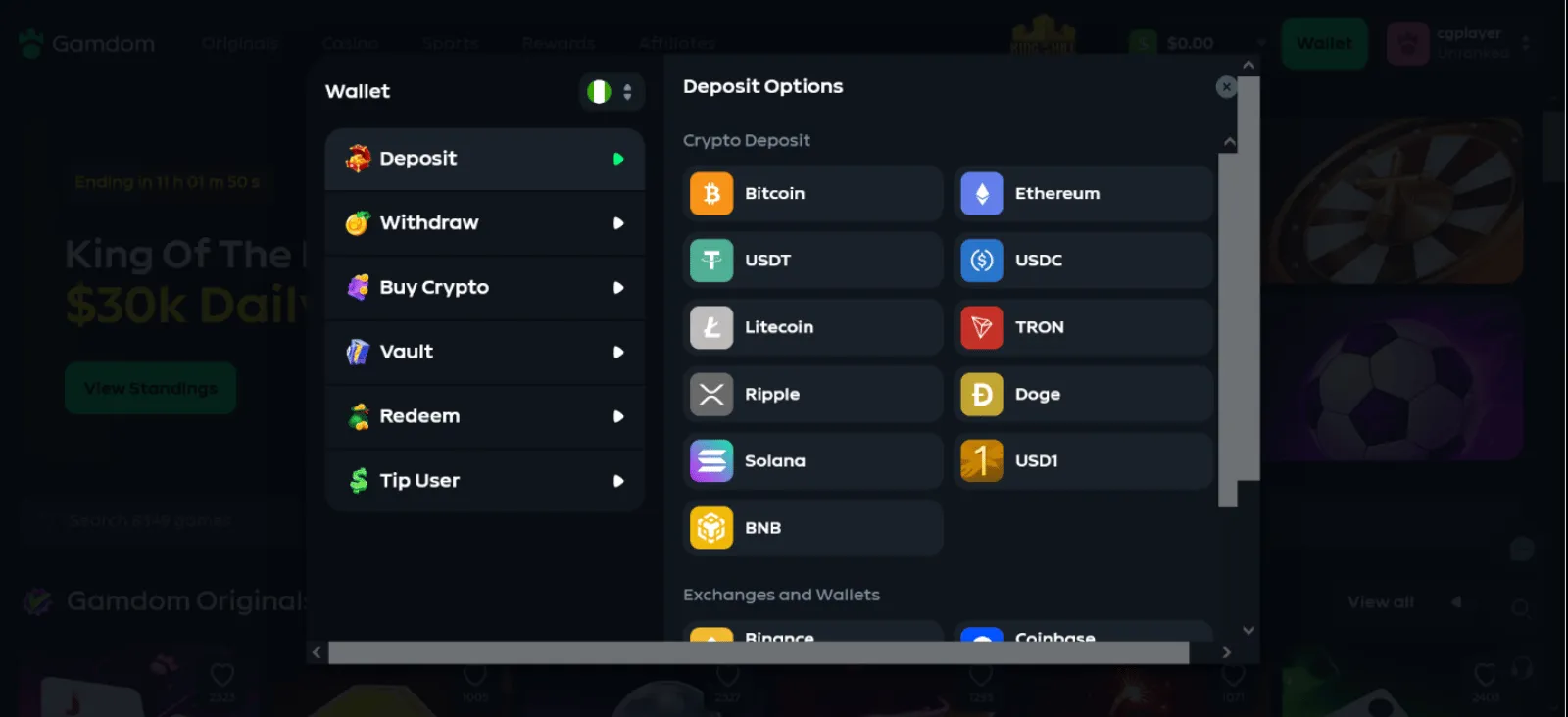
I went straight to the wallet for my Gamdom deposit test. The deposit tab offered 11 crypto options, and I chose USDT.
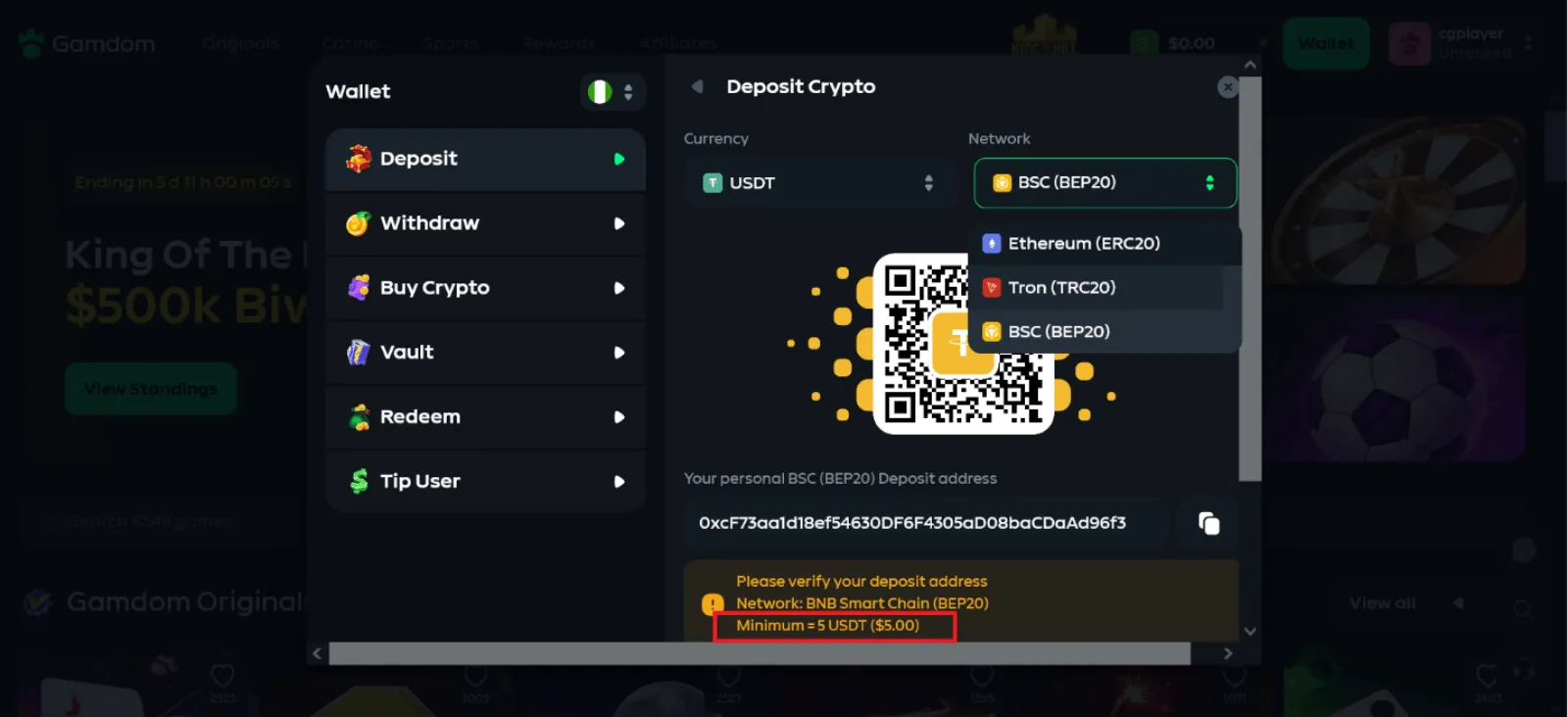
On the USDT payment page, I found just three supported networks and saw that the minimum was 5 USDT. I picked BSC (BEP20) because my wallet showed the lowest transaction fee among the available networks.
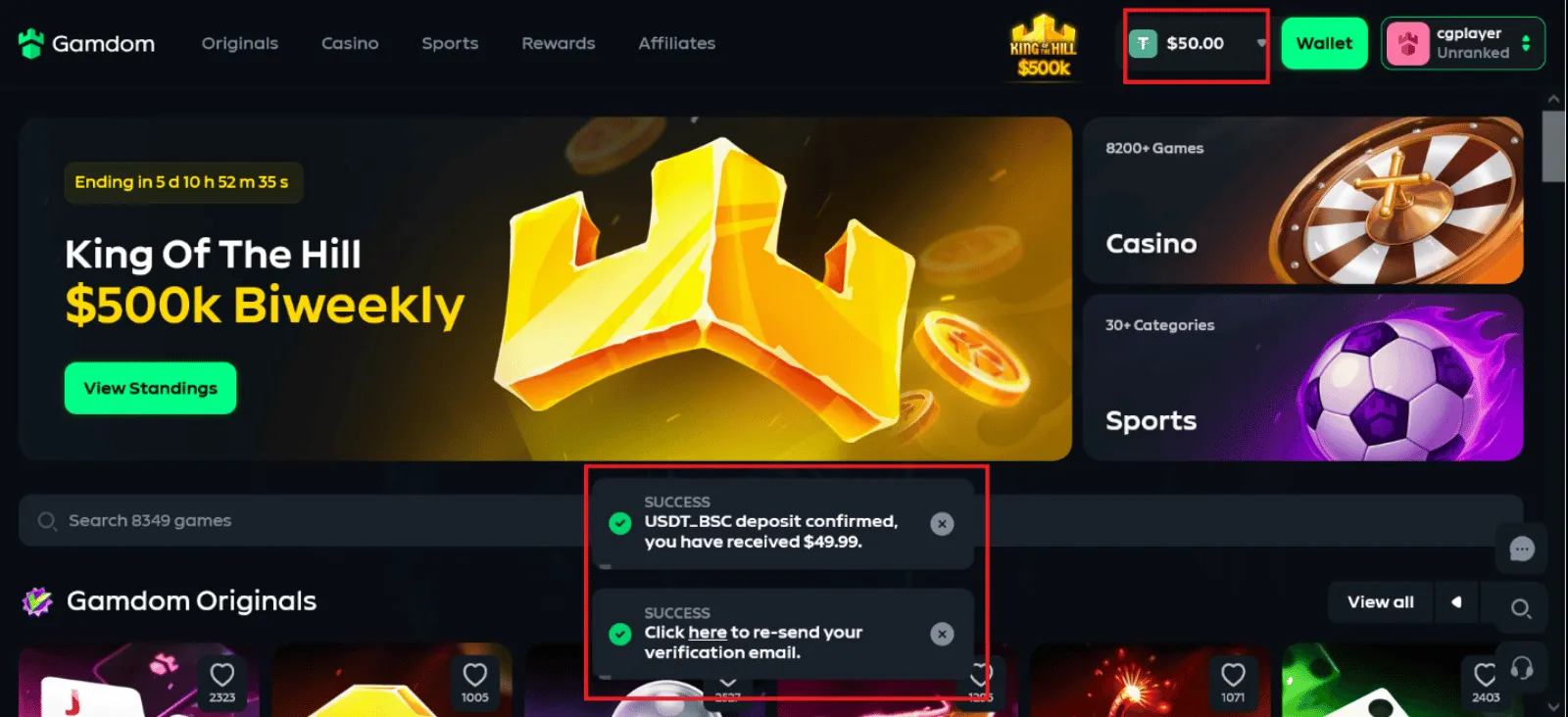
I initiated a 50 USDT transfer with a 0.15 USDT fee at 2:06 PM. At 2:07 PM, I got the deposit notification on my Gamdom dashboard, and my USDT wallet was updated instantly.
My deposit was processed in around one minute.
Step 3 · Bonus
Score: 7.0 out of 10 Good
My Gamdom Rakeback Reached $0.55 During the Test
Without a deposit promo, I wasn’t expecting much from Gamdom in terms of bonuses. In fact, I forgot about the 7-day rakeback message I saw at the beginning. Still, I kept an eye on the rewards section while I played.
By the time I wagered $50 purely on slots, I had accrued $0.22 in instant rakeback, which felt impressive. I then wagered just slightly over $31 on Mines in the Originals section, and my accumulated rakeback shot up to $0.55.
That meant I earned an additional $0.33 from Mines, even though I wagered less on it. The additional rakeback from Mines was about 1.5 times the $0.22 I had accumulated from slots.
I also navigated fully to the Rewards page to see what else could be available. There, I noticed I’d reached 15.09% progress and claimed 226,351 XP towards my next loyalty level.
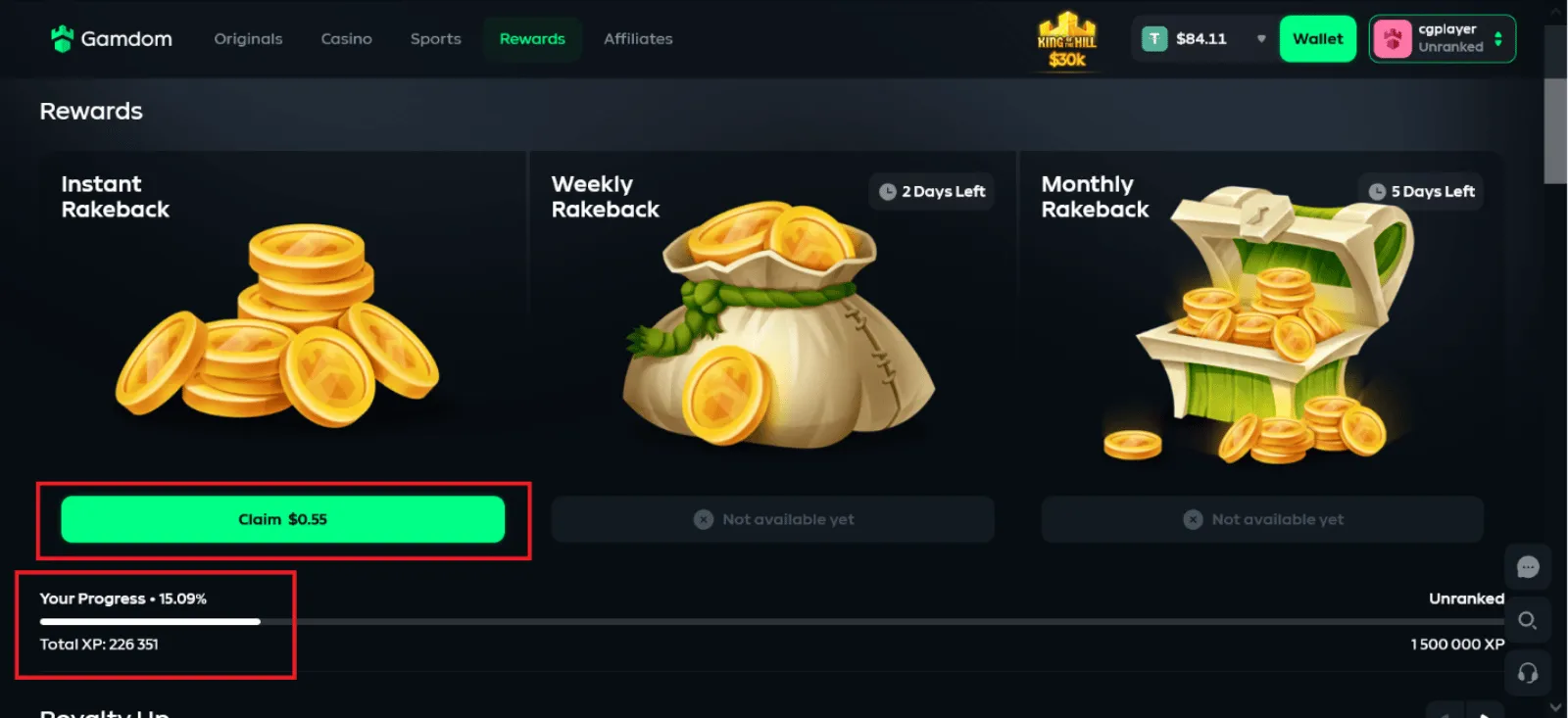
Scrolling further down the page finally reminded me about the active 15% rakeback for my first 7 days. That also explained why the rakeback rate had initially felt so generous during my play.
I eventually claimed my $0.55 rakeback, but it looked like it just vanished at first. Then I opened the balance tab to see it had entered the USD balance instead of the USDT I was playing with.
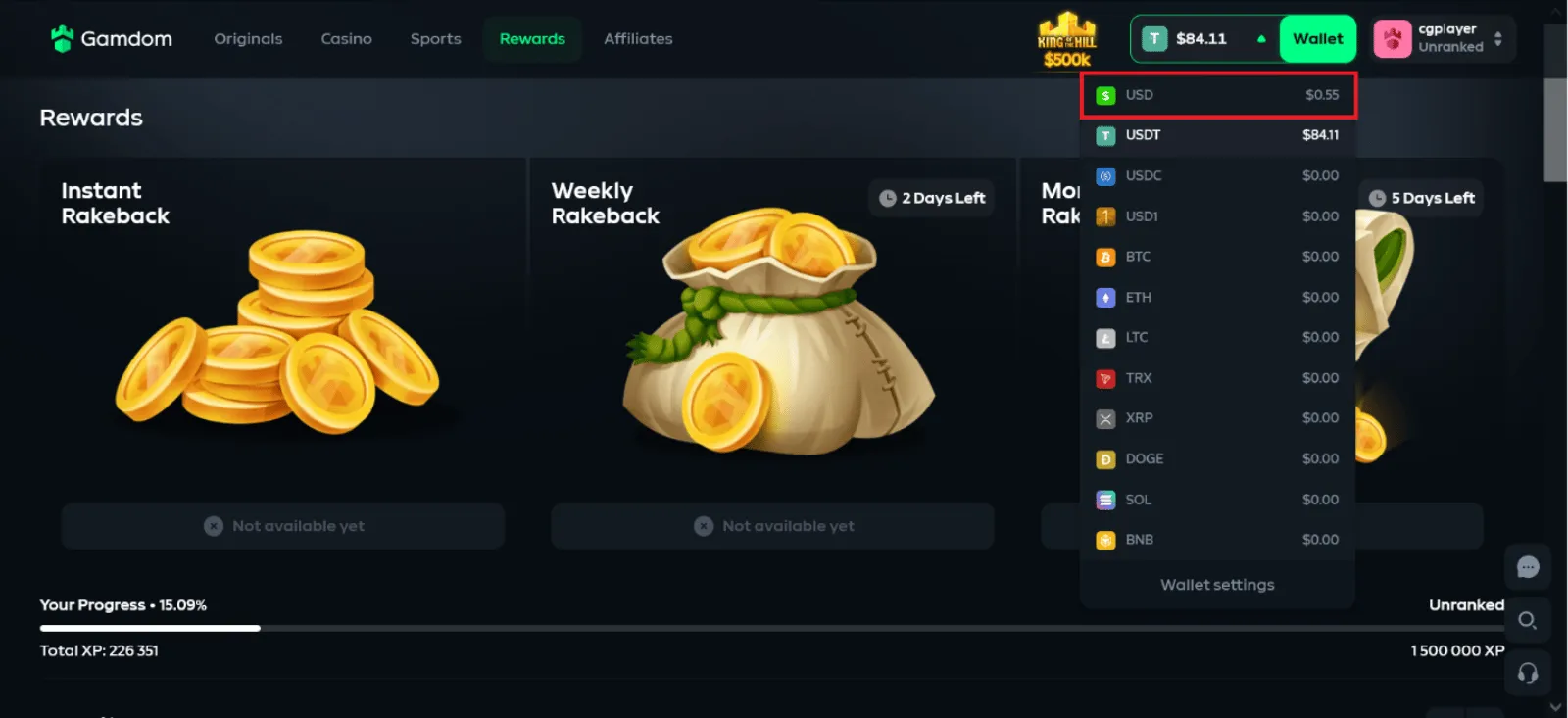
It was slightly disappointing because it meant I couldn’t withdraw the bonus with my active USDT balance.
Step 4 · Gameplay
Score: 7.0 out of 10 Good
Gamdom Had Plenty of Games, But Few of My Favorites
With 50 USDT in my account, I could start my Gamdom real money test. Most of my sessions were on slots because I did not find any of my favourite crash and specialty games
I ended up exploring the specialty games in the Originals section instead.
Here are some of the games I tried:
- Mines by Gamdom Originals – 100% RTP
- Tornado Rampage by PG Soft – 96.75% RTP
- Steve Don’t Do It by Ludo Land – 96.15% RTP
 Gates of Olympus by Pragmatic Play – 96.5% RTP
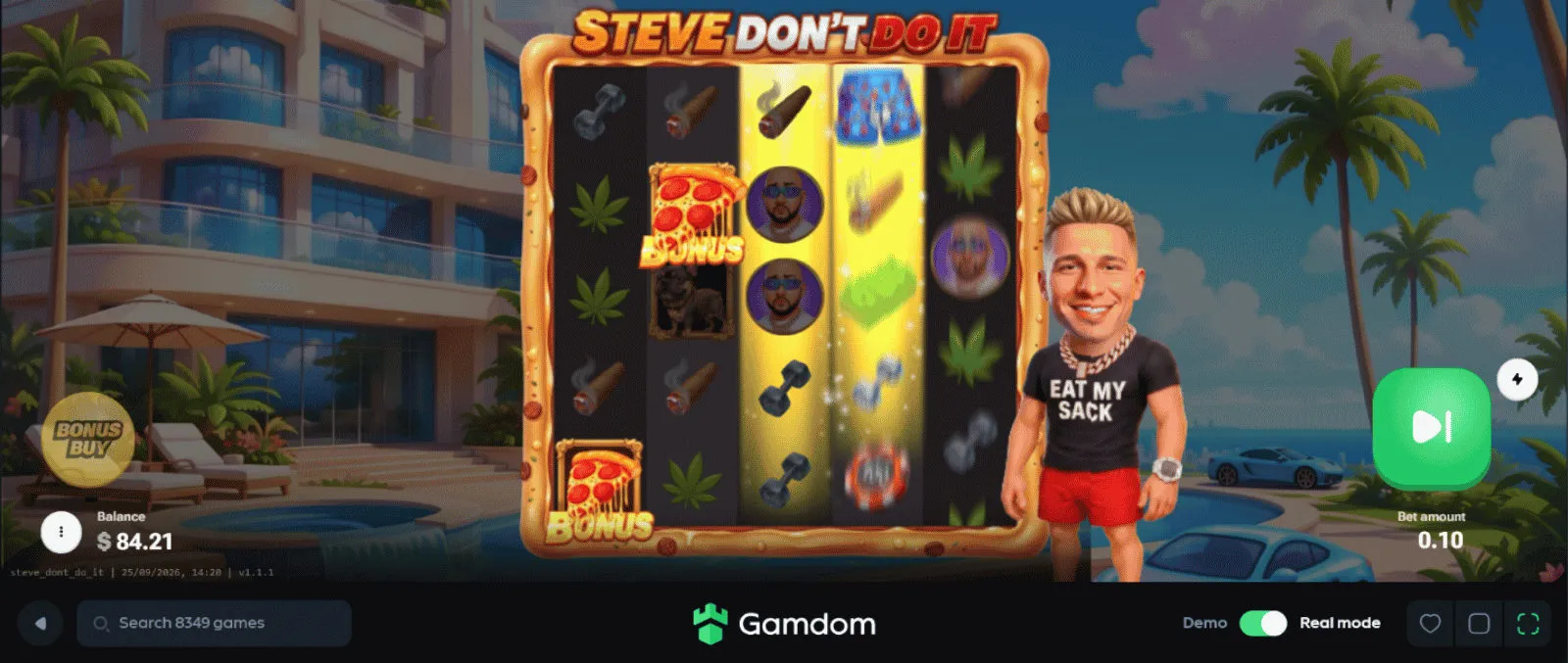
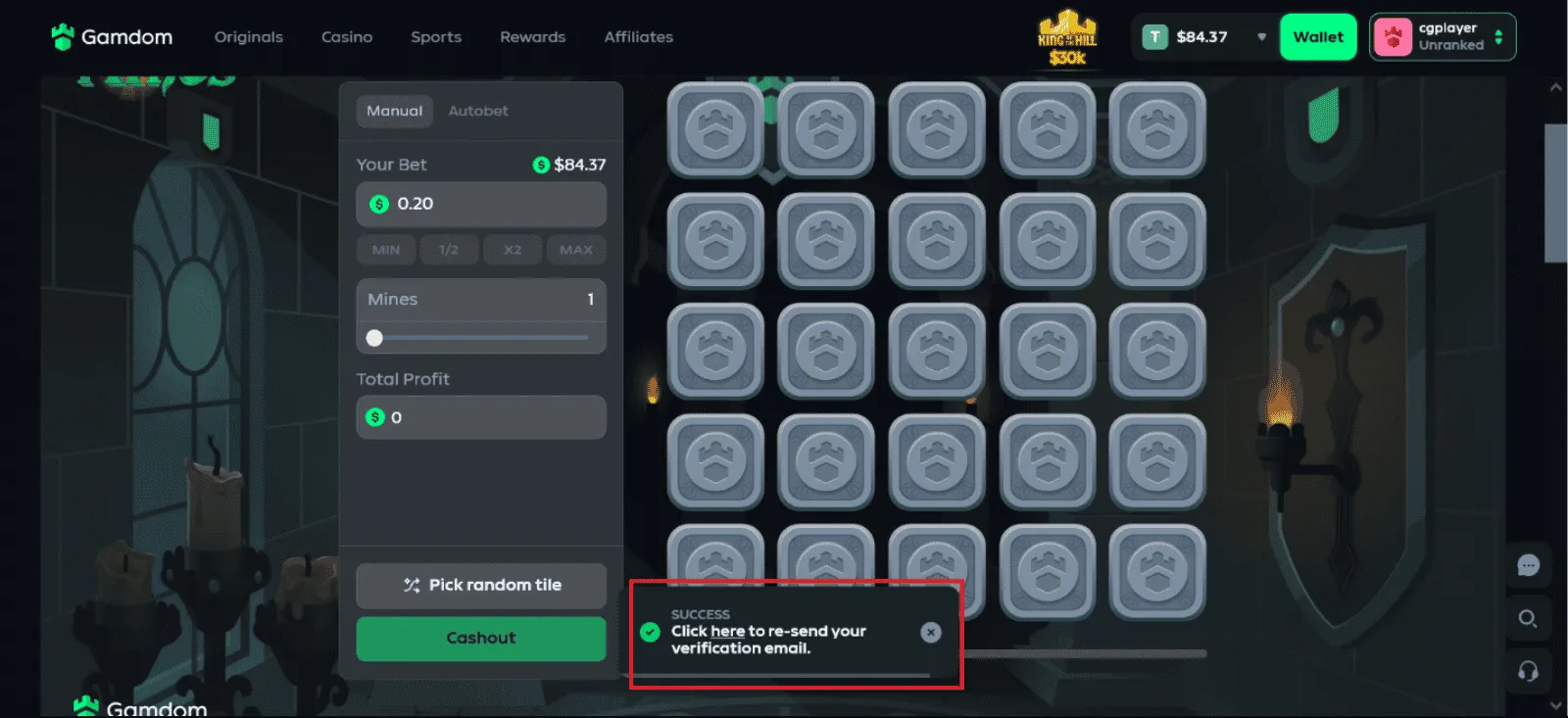
During my gameplay, the email verification notification kept popping up. It didn’t stop me from playing, but I eventually paused to confirm my email since it was appearing frequently.
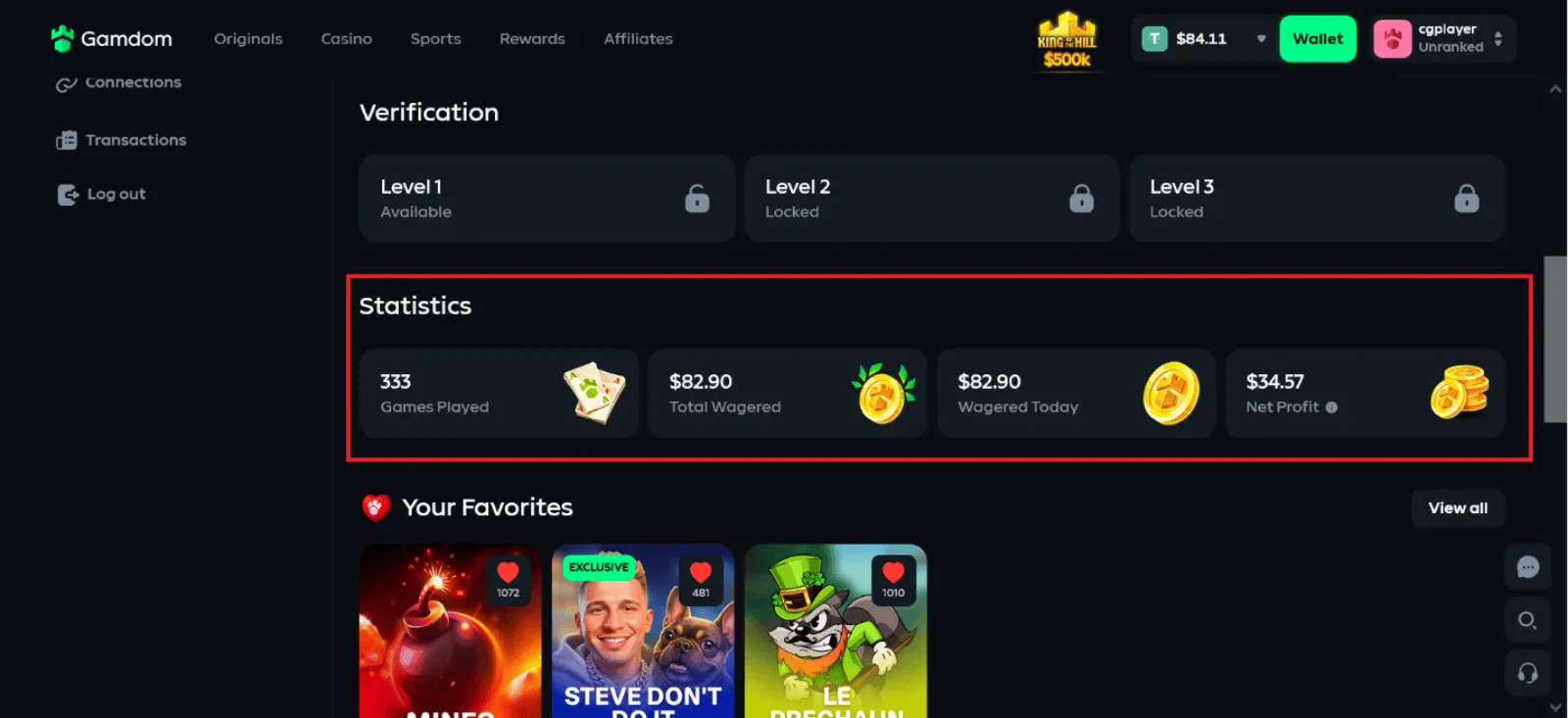
With that out of the way, it didn’t take me long to find how to track my activity. I could see how much I had wagered, the number of rounds I played, and even my net profit. The section was hidden under “Profile”.
Step 5 · Withdrawal
Score: 9.0 out of 10 Excellent
My 84.12 USDT Withdrawal: Turbo Speed Took 3 Minutes
- Amount
- 84.12
USDT - Paid out in
- 3 min
- Payment method
- ByBit
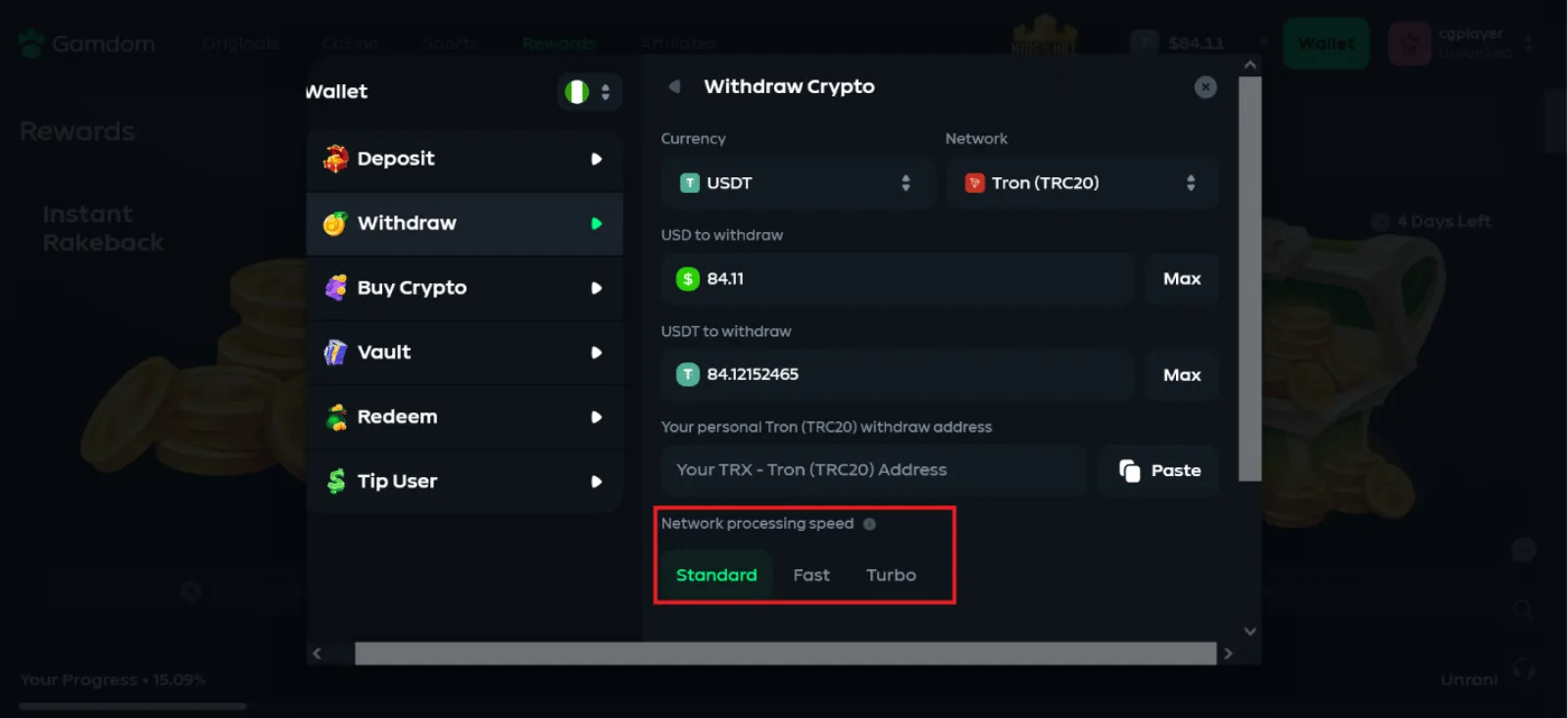
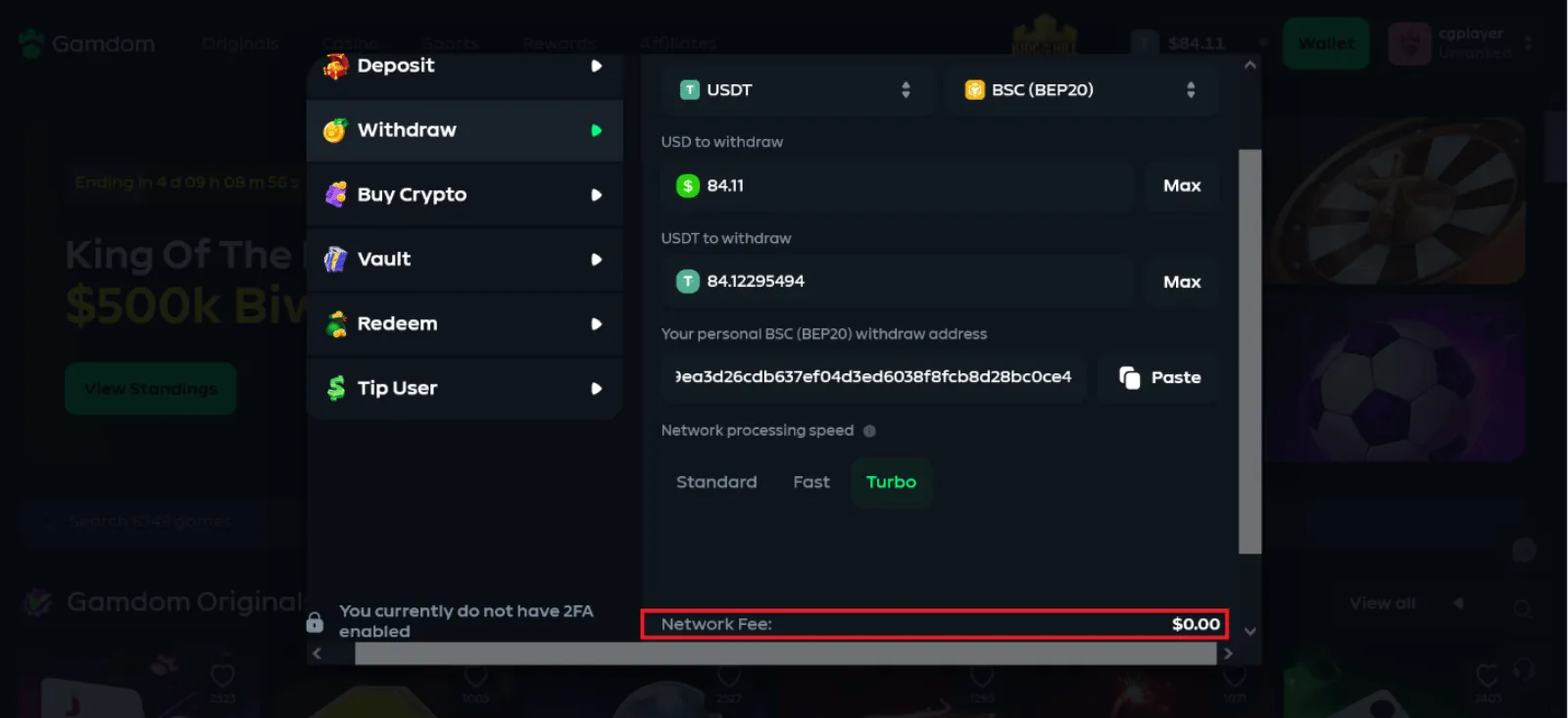
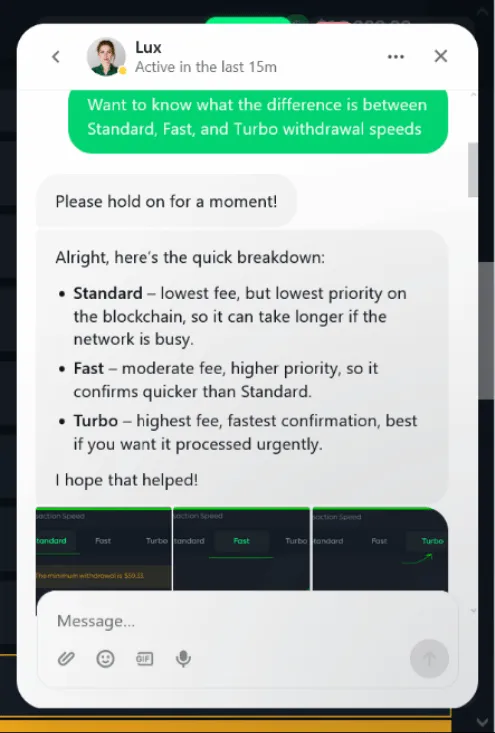
I was scrolling down to check the minimum amount for my Gamdom withdrawal test when I noticed something else. The withdrawal tab showed me three different network processing speeds – Standard, Fast, and Turbo.
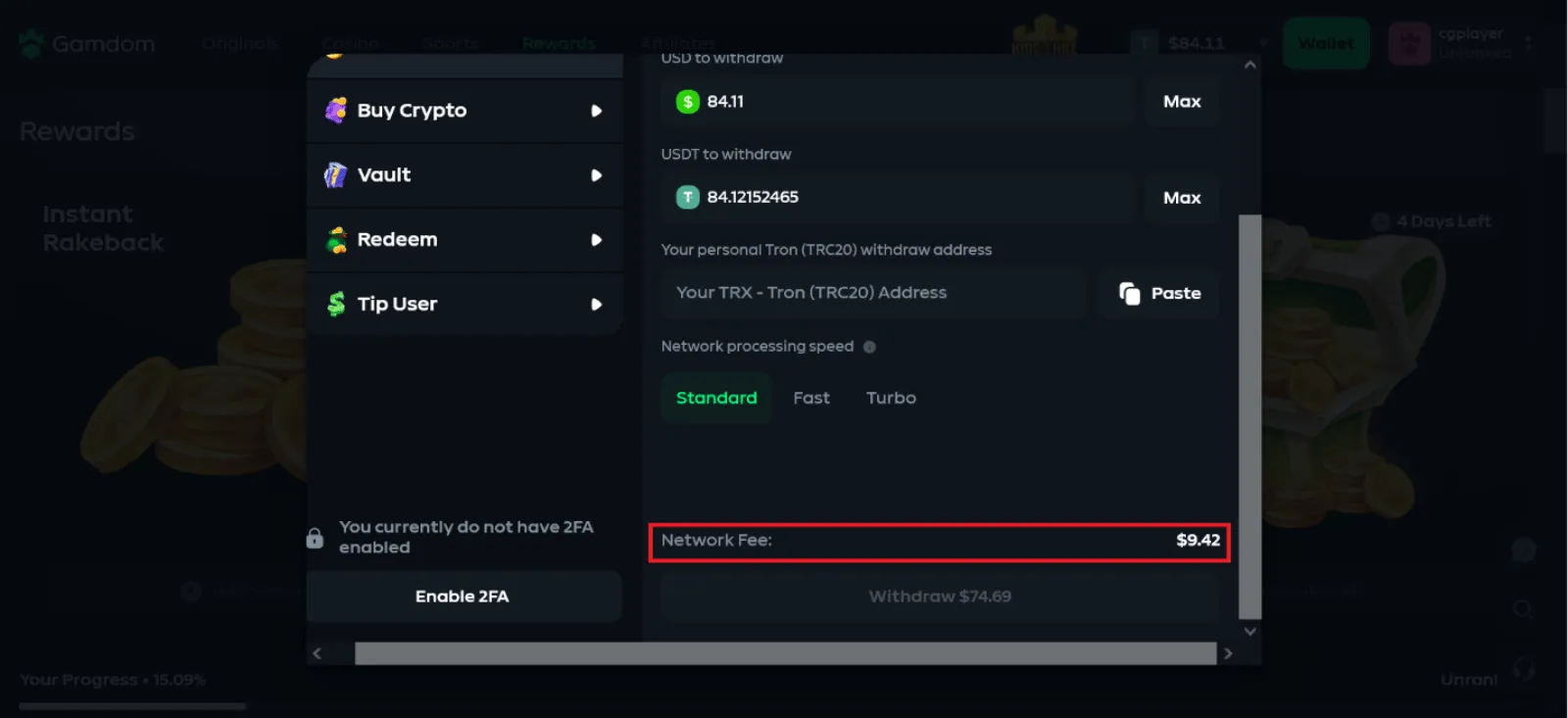
That really piqued my interest because I really wanted to see how fast Turbo can be. However, I got spooked by the massive $9.42 fee shown for USDT withdrawals on the TRC20 network.
Relief came when I checked other networks and saw the fee was just $0.01 on ERC20 and $0.00 on BEP20. These fees remained the same even when I switched processing speeds.
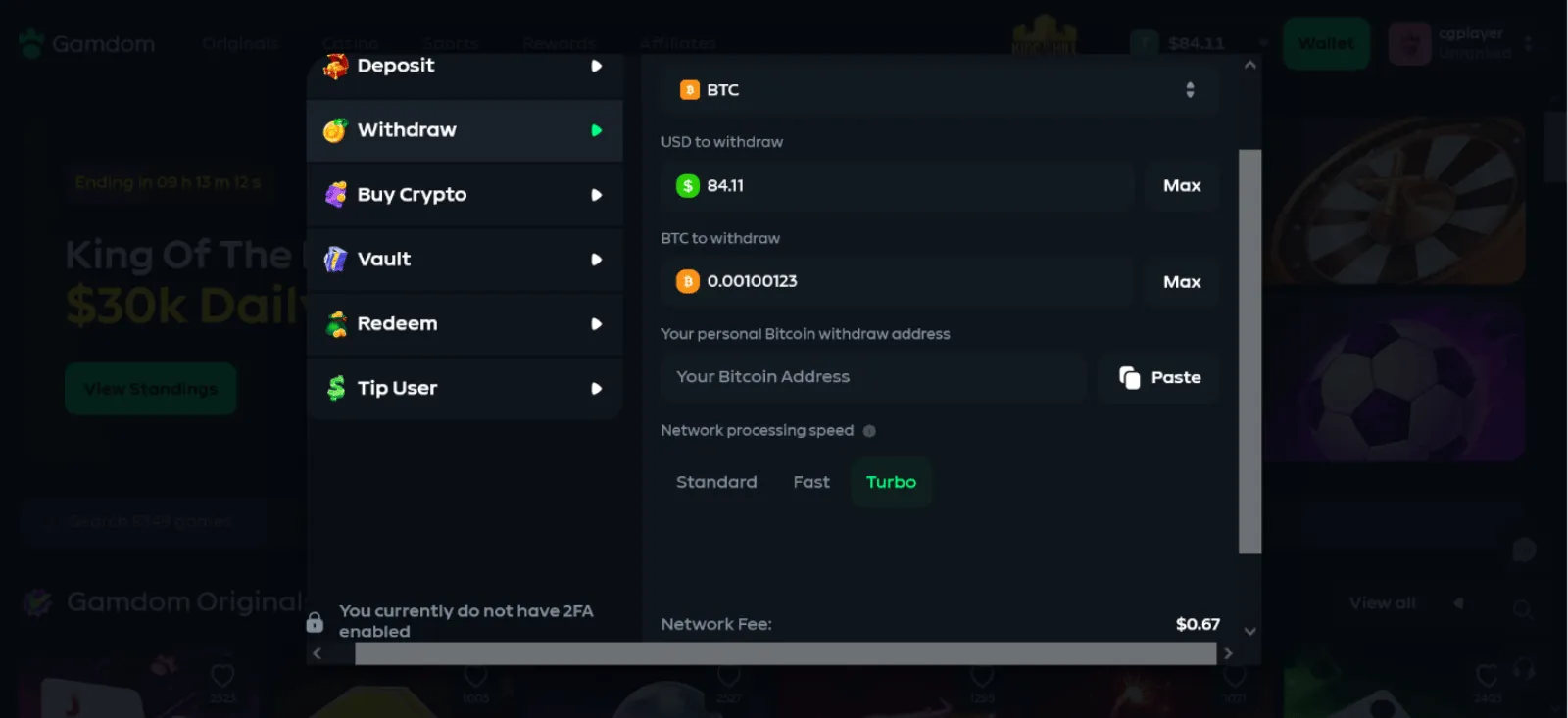
I also noticed that my $84.12 balance showed when I switched between different cryptocurrencies. At many casinos I’ve played at, the balance for a crypto is not usually displayed after switching to another coin.
This made me wonder whether I could withdraw my USDT balance in another cryptocurrency, although I wasn’t able to test whether that was actually possible.
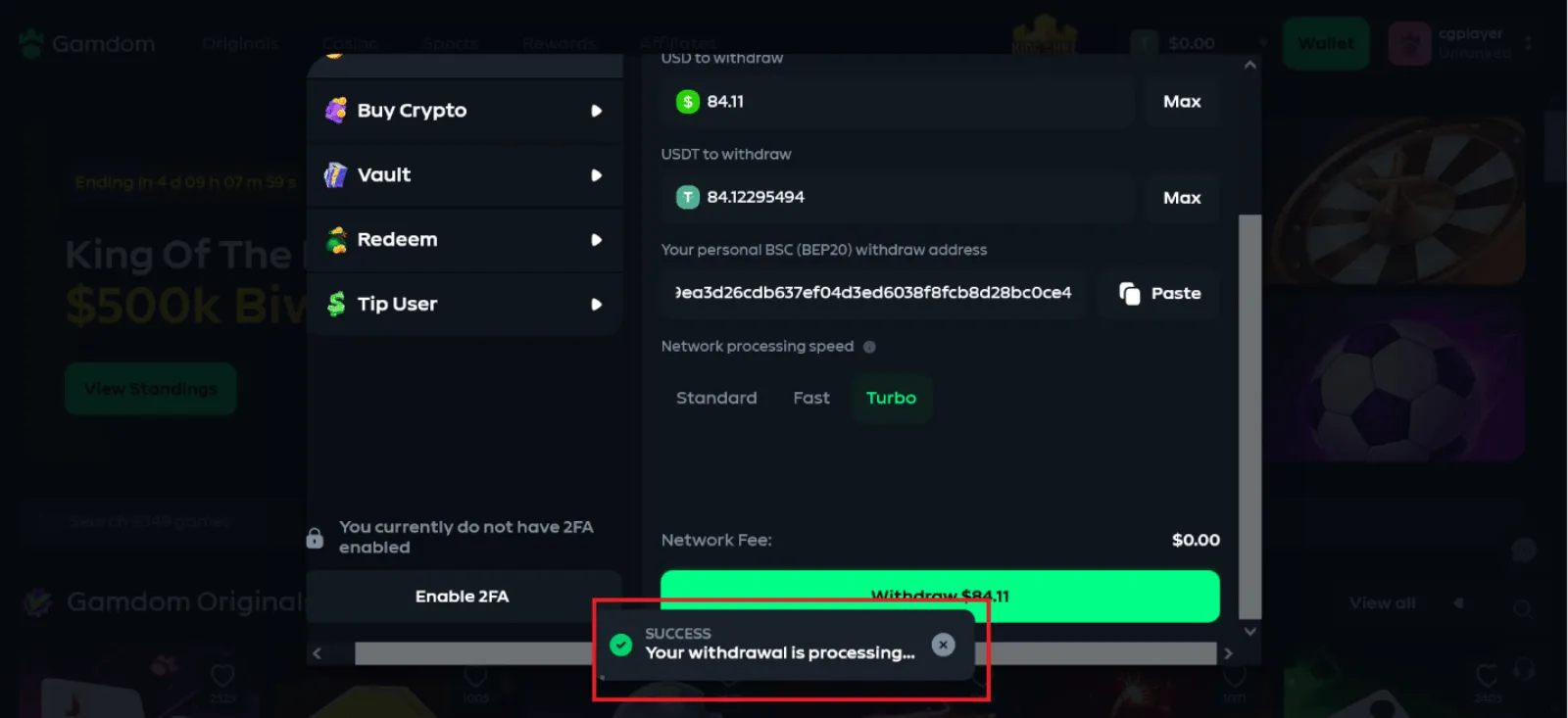
For my actual withdrawal test, I entered the maximum amount and pasted my wallet address. BEP20 was the obvious choice because the displayed fee was $0.00, even with Turbo selected.
I clicked on the “Withdraw” button at 3:53 PM and got a processing notification immediately. There was no email confirmation code needed, and KYC wasn’t requested either.
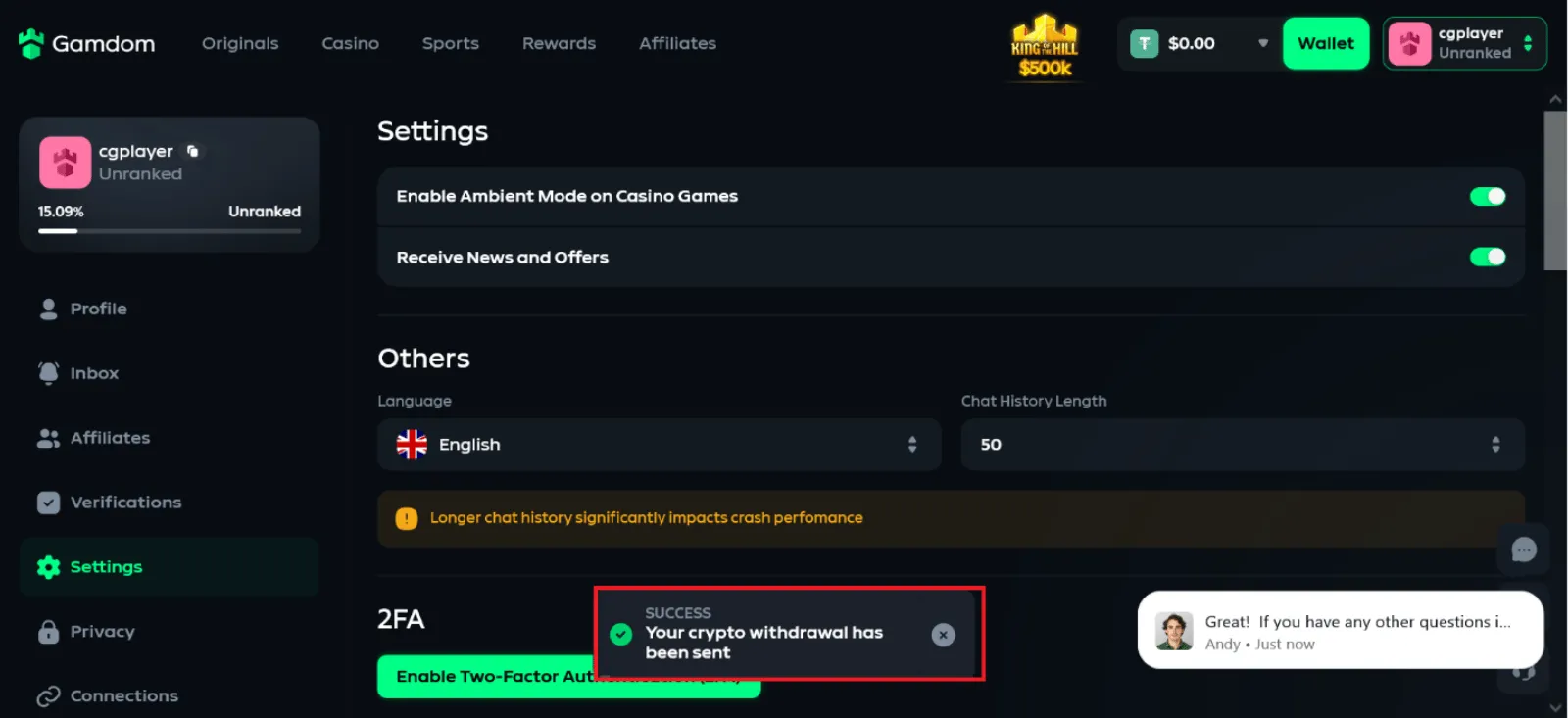
At 3:56 PM, I received the “withdrawal sent” notification. I refreshed my wallet and found the full 84.12 USDT credited.
That put my Gamdom withdrawal time at just 3 minutes. That put my total Gamdom withdrawal time at three minutes with Turbo selected.
Step 6 · Support
Score: 8.0 out of 10 Great
Gamdom Support Test: The Bot Fooled Me at First
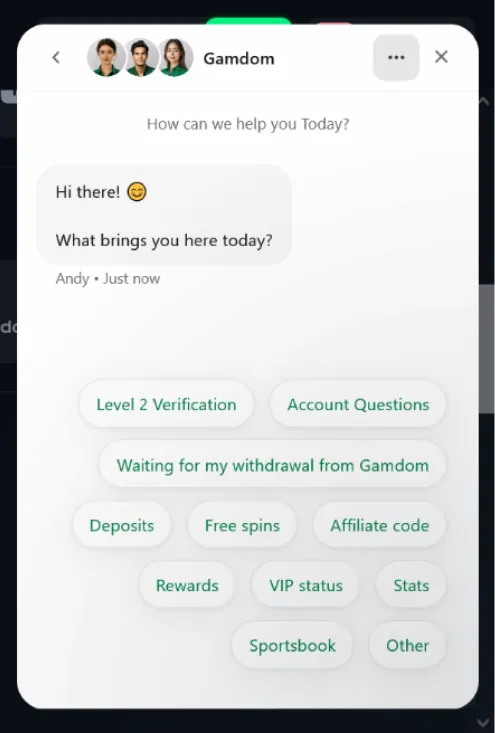
Seeing the different withdrawal speed options gave me a good reason to start my Gamdom support test. I opened the live chat and was first met with a few options to start.
After picking “other”, I was asked to clarify my question, and I initially thought that would send me directly to a human agent.
The response came within a few seconds and answered my question effectively with screenshots. It was only after my follow-up question that I realised I was talking to a bot. I noticed the way the responses were being generated as I watched the chat box.
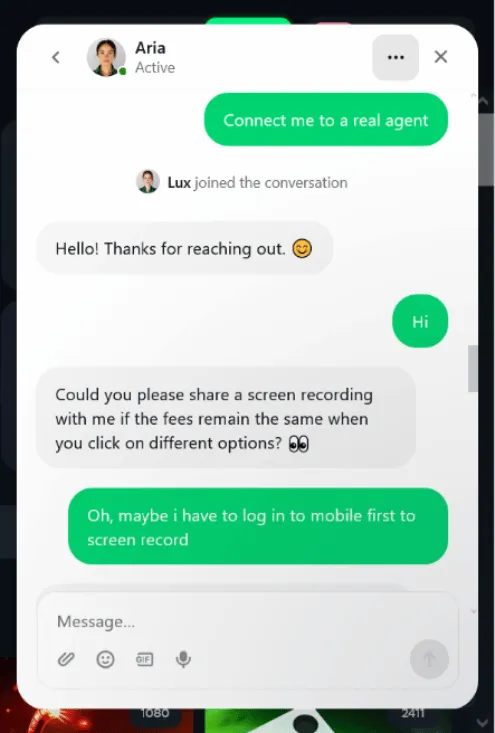
The quality of the AI responses genuinely impressed me, but that wasn’t enough to complete my Gamdom support test. I still wanted to see how effective the human agents were, so I requested a transfer.
The human representative joined almost instantly, and I didn’t need to repeat my question before they started helping me. I continued with the same topic, and the agent checked my account before explaining that the USDT withdrawal fee did not change between the available processing speeds.
Everything happened in less than 4 minutes. The agent answered me nearly as fast as the bot.
About this test
How we test Content Writer, Bonus & Real-Money Tester
Samuel is an experienced iGaming writer and casino tester with over 10 years of experience reviewing online casinos, testing games, and evaluating gambling platforms.
16 real-money tests- Test date
- Payment method
- ByBit
- Deposit
- 50
USDT Credited in 1 min - Withdrawal
- 84.12
USDT Paid out in 3 min
- Contributor
Last updated:
Meet the teamYou might also like...

 EarnBet Casino
- Deposit
- 50
USDT - Withdrawal
- 51.46
USDT
Tested on

 Duel Casino
- Deposit
- 50
USDT - Withdrawal
- 31.13
USDT
Tested on

 Shuffle Casino
- Deposit
- 50
USDT - Withdrawal
- Not completed
Tested on

 Thrill Casino
- Deposit
- 50
USDT - Withdrawal
- 20.35
USDT
Tested on
