










Stake Real-Money Test: $10.33 Withdrawal in 2m

Alawode Tolulope Samuel
Content Writer, Bonus & Real-Money Tester
Samuel is an experienced iGaming writer and casino tester with over 10 years of experience reviewing online casinos, testing games, and evaluating gambling platforms.
View profile
Stake
Tested on
- Deposit
- 40
USDT - Credited in 1 min
- Withdrawal
- 10.33
USDT - Paid out in 2 min
- Payment method
-
 ByBit
ByBit
Our verdict
Stake scored 8.0/10 in my hands-on test. Registration itself was quick once I found an available username, but Stake required identity verification before I could deposit or play. My KYC submission was accepted immediately, and the verification page showed “Complete” when I checked it about 20 minutes later.
My 40 USDT deposit reached my account in about one minute, gameplay ran without technical issues on both PC and mobile, and my 10.33 USDT withdrawal reached my Bybit wallet in about one to two minutes, with a 0.10 USDT fee deducted.
The main drawbacks during my test were the upfront KYC requirement and the lack of a dedicated wagering tracker. I also found a bonus linked to my account, but its 100 USDT minimum deposit was above my 40 USDT testing budget, so I could not test the offer in practice.
Overall score
Average of 5 categories
Score: 8.0 out of 10 Great
What impressed us
- My 40 USDT deposit arrived in about 1 minute
- My 10.33 USDT withdrawal reached my wallet in about 1–2 minutes
- A live support agent joined my first chat in under 10 seconds
What to know
- I had to complete KYC before I could deposit or play
- I couldn’t find a dedicated wagering tracker
- The bonus linked to my account required a 100 USDT minimum deposit
I Put Stake to a Real-Money Test
I ran a hands-on  Stake casino test with real money to see what actually happens from registration to withdrawal. I created an account, completed mandatory KYC, deposited 40 USDT, tested games across PC and mobile, contacted customer support, and successfully withdrew 10.33 USDT.
Below, I break down exactly what happened during my test, including registration and verification, deposit timing and fees, gameplay, wagering requirements, support response times, and how long my withdrawal took.
Want to see how I arrived at these scores? Follow my Stake test step by step below, from registration and KYC to a real USDT deposit, gameplay, withdrawal, and customer support.
Step 1 · Registration
Score: 6.0 out of 10 Average
Registration Took About 2 Minutes Before KYC
I completed the registration process in about two minutes. Most of that time went into finding an available username, as several of the names I tried were already taken.
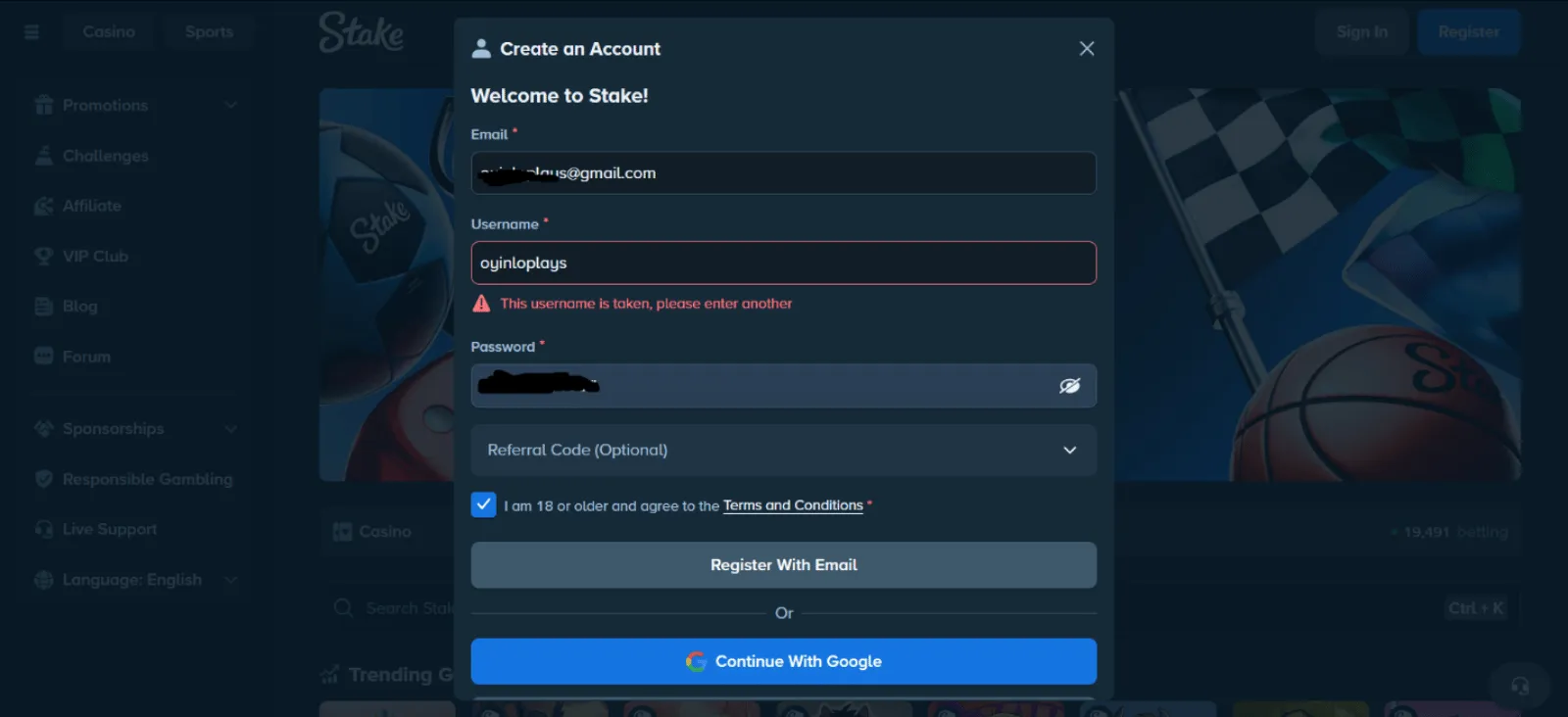
Once I settled on a username, I entered my email address and password and submitted the form. It loaded in less than 10 seconds, but email verification was another hurdle. After submitting the form, I had to enter an email verification code before I could access my account.
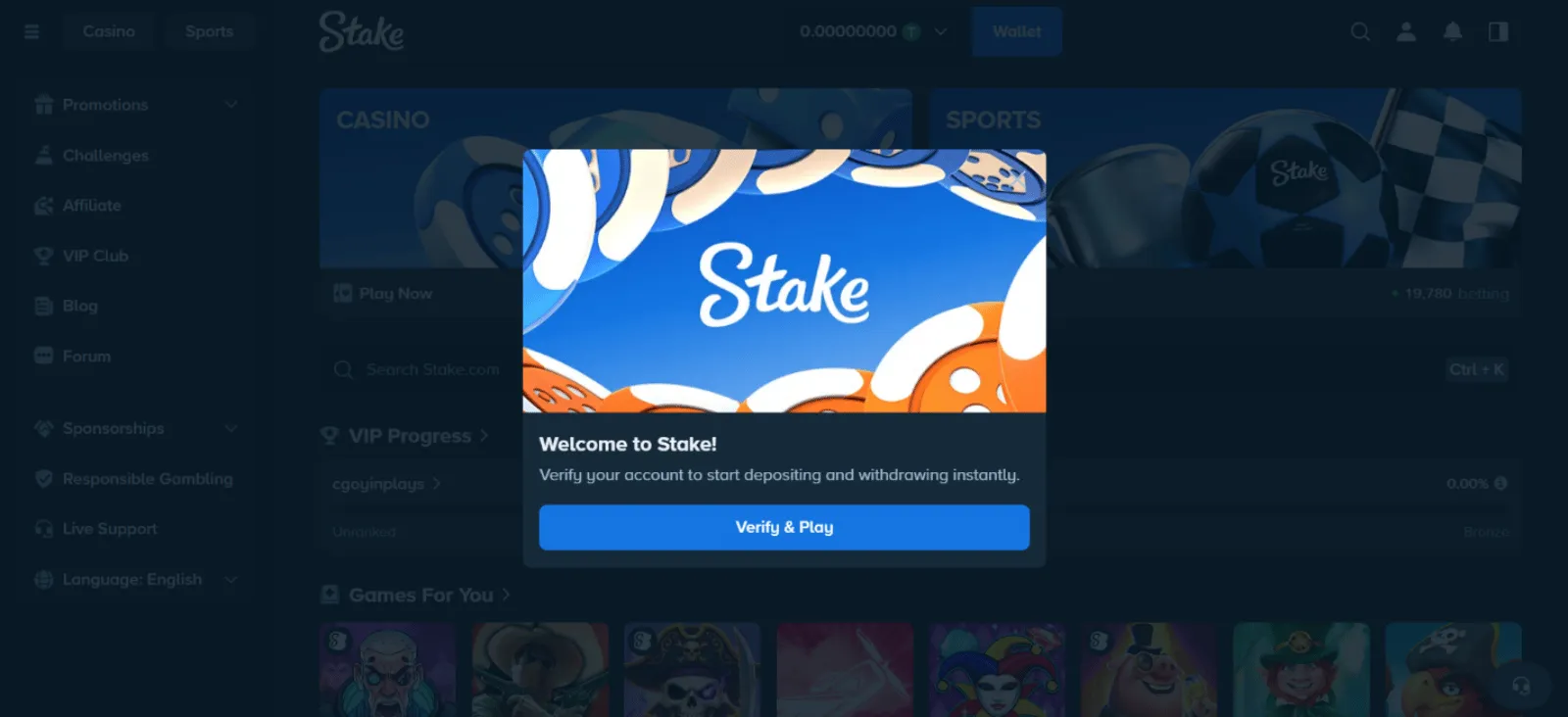
Stake then redirected me to identity verification before I could deposit or play. When I tried to leave the verification page, I was repeatedly redirected back to it.
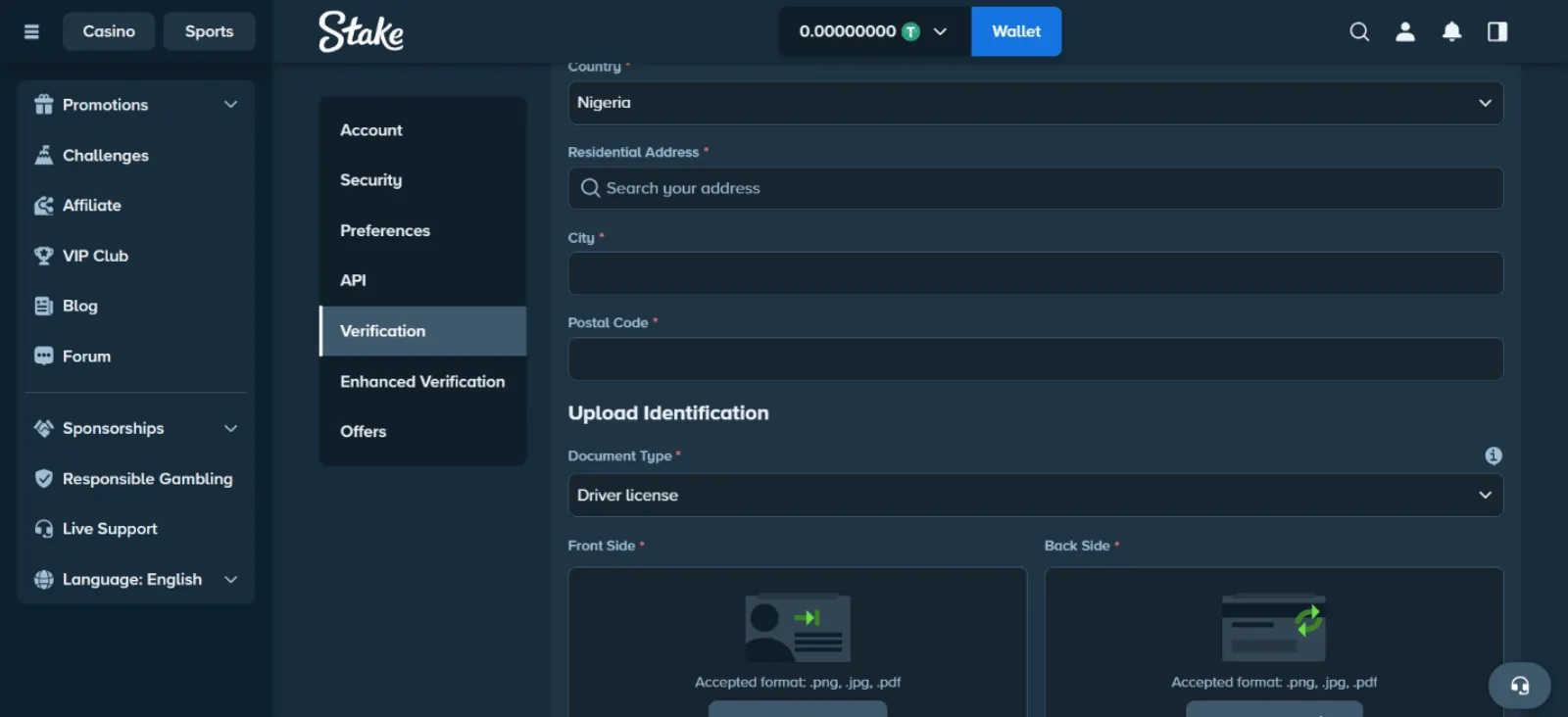
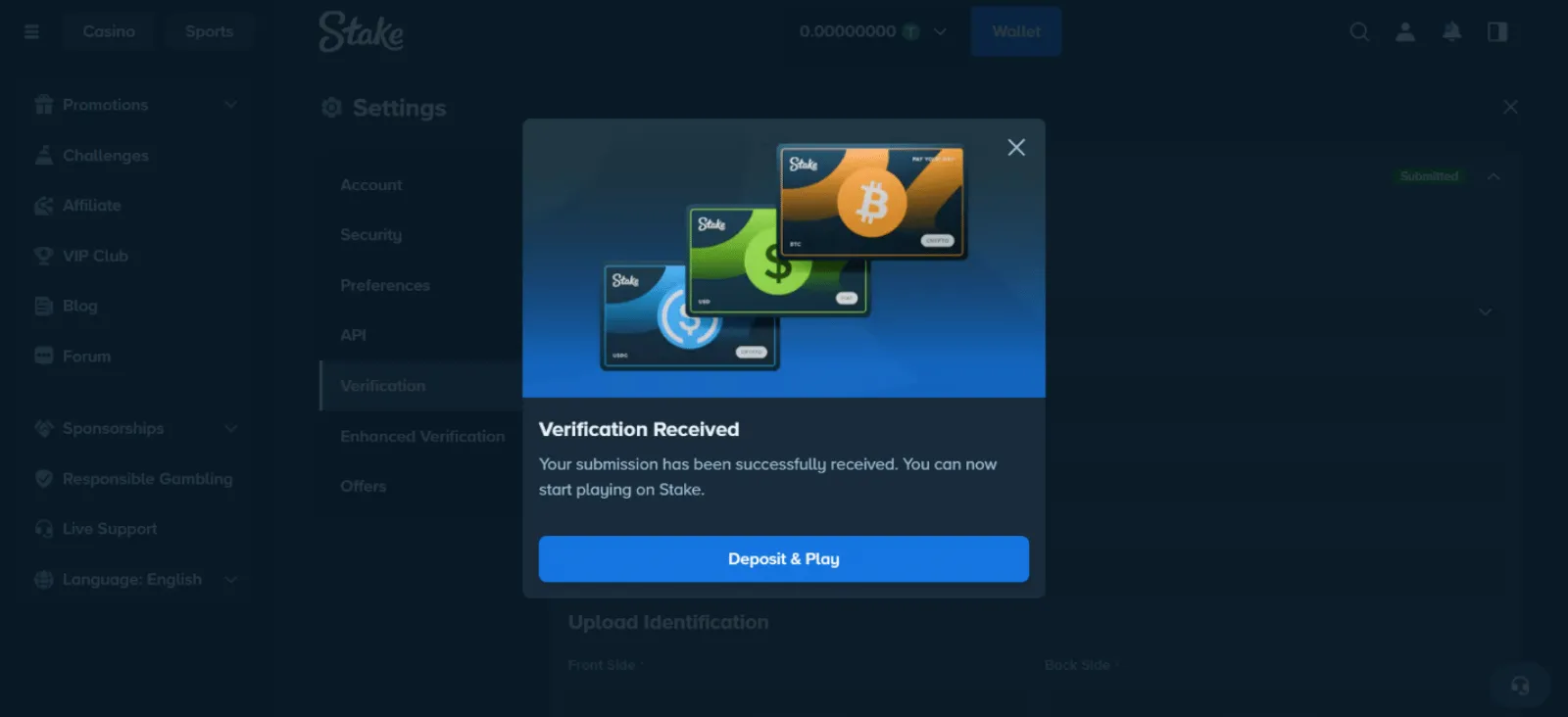
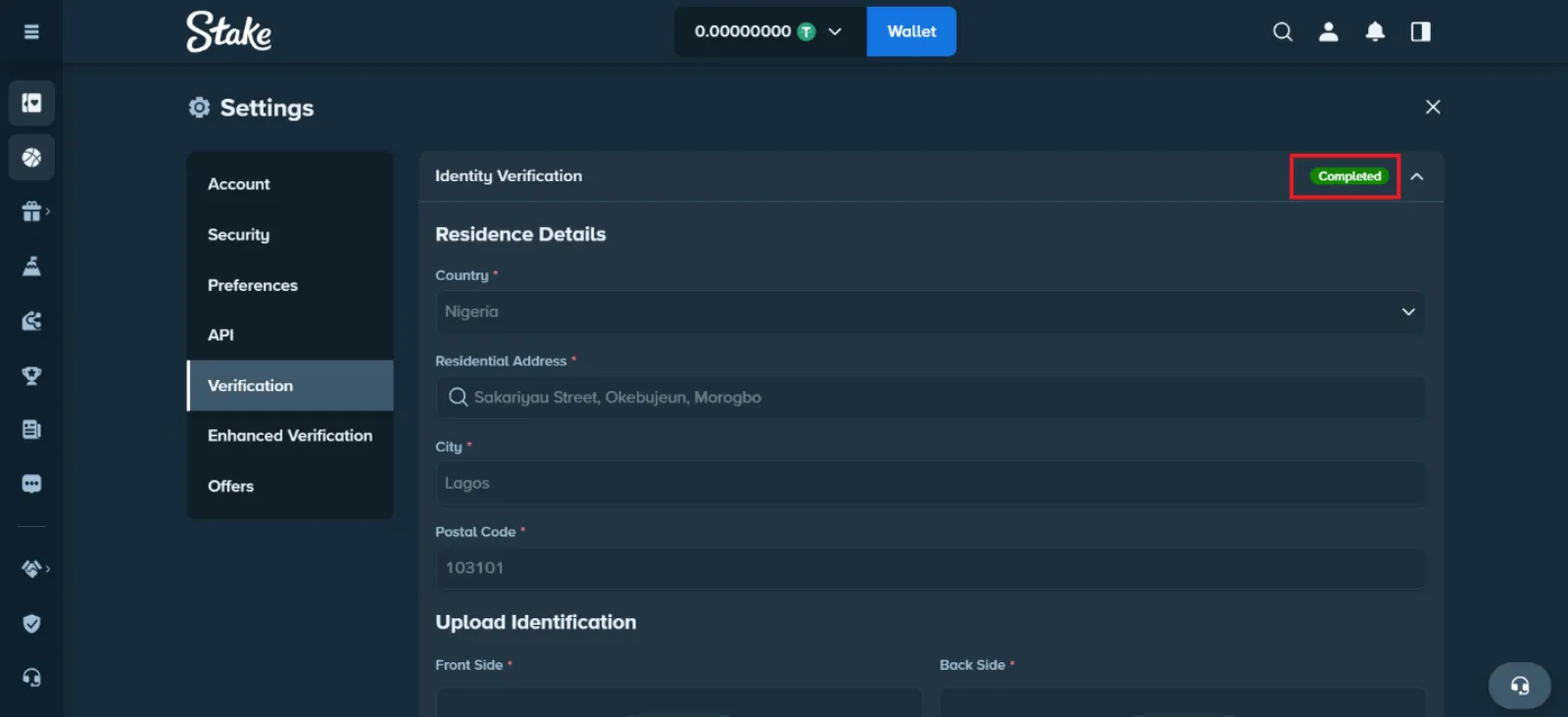
During KYC, I uploaded my national ID and entered my name, place of birth, and date of birth. Immediately after submitting everything, I received a “Verification Received” message and was allowed to proceed with depositing and playing.
I didn’t receive an instant confirmation that verification was completed. However, when I checked the verification page about 20 minutes later, the status had changed to “Complete”, and my submitted details were locked.
Step 2 · Deposit
Score: 9.0 out of 10 Excellent
My 40 USDT Deposit Took About One Minute
- Amount
- 40
USDT - Credited in
- 1 min
- Payment method
- ByBit
The deposit tab did not show a minimum amount. From the information pages I checked during my test, I understood that the information pages I checked did not show a stated minimum deposit for USDT.
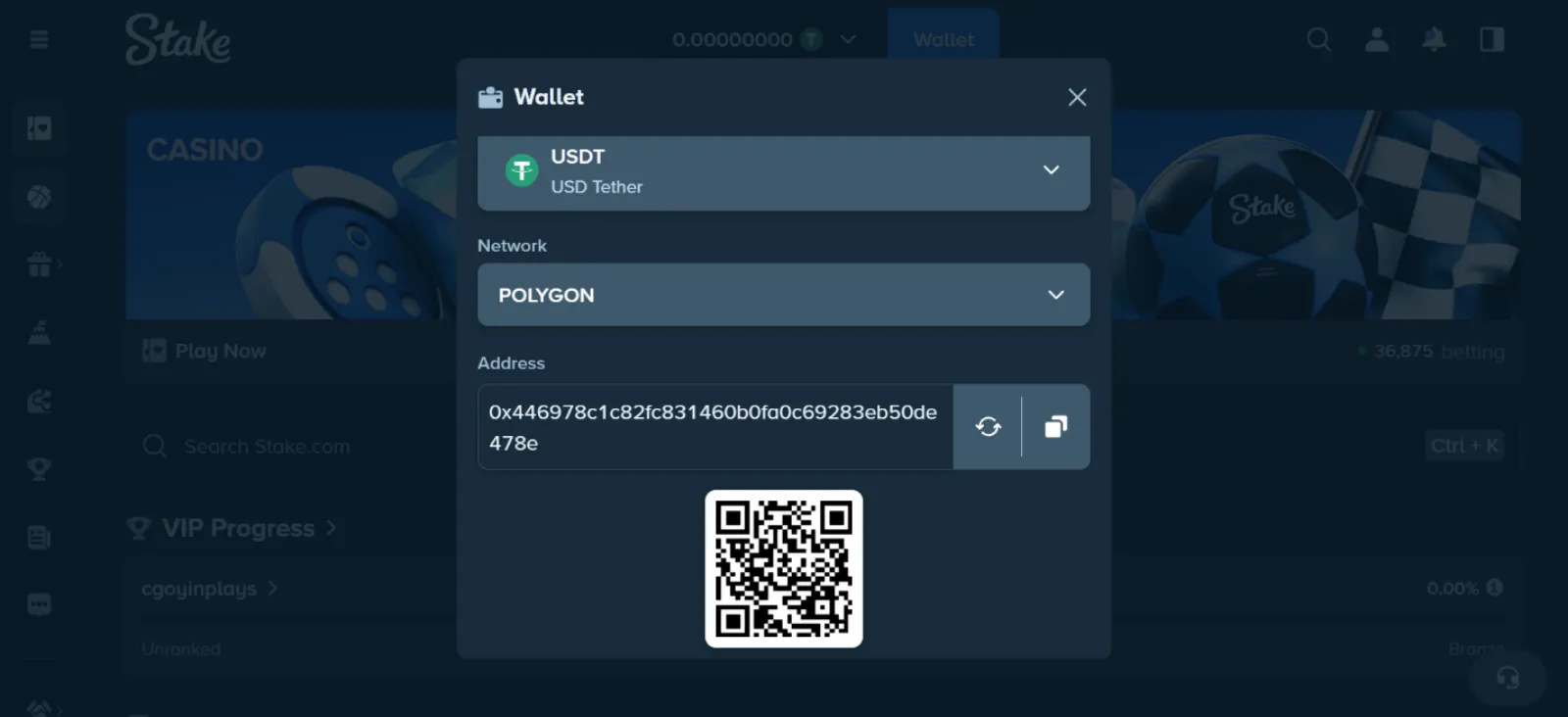
For my Stake deposit test, I sent 40 USDT over Polygon from and paid a 0.07 USDT network fee on the Bybit side of the transfer.
I initiated the transfer from my wallet at 8:15 AM and received a confirmation notification within seconds. A few seconds later, the funds appeared in my Stake balance.
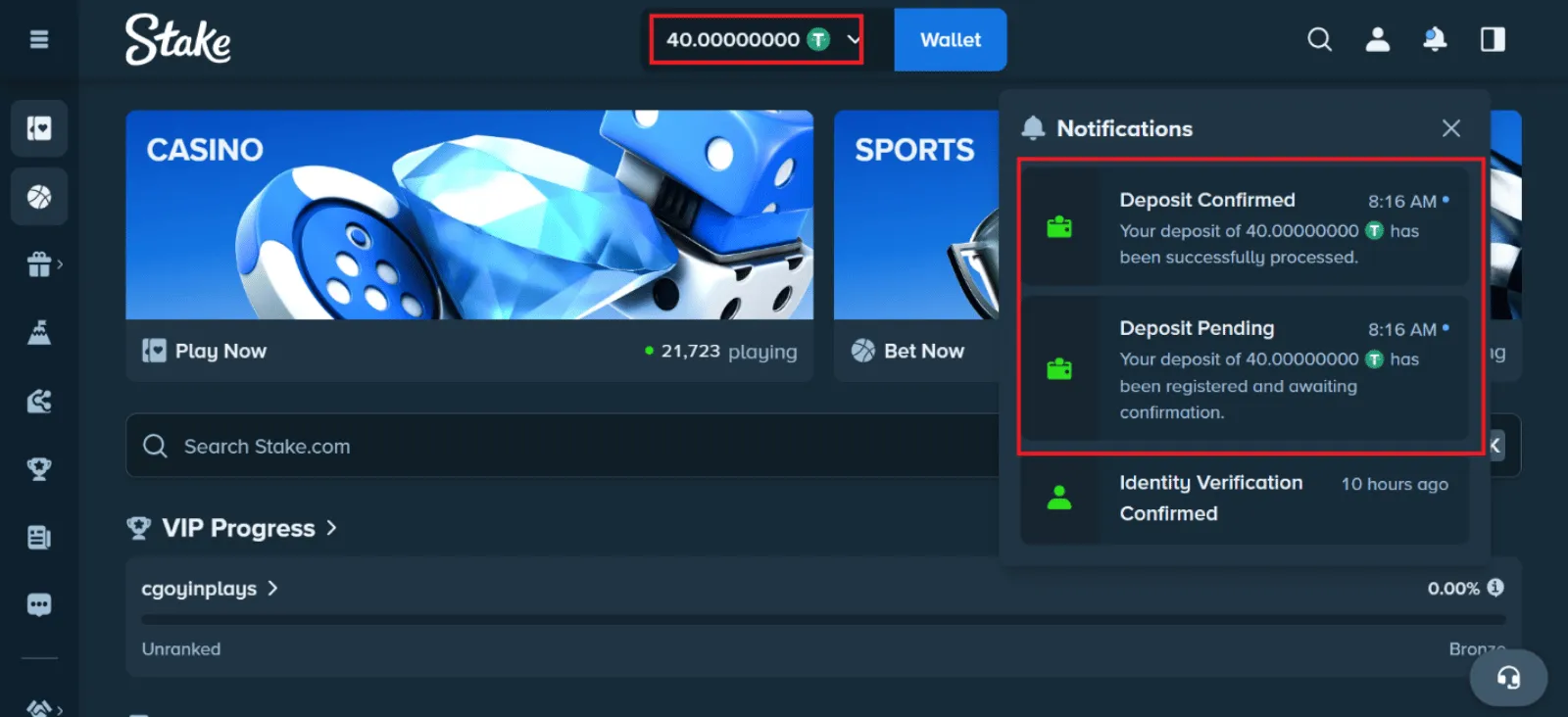
From sending the funds to seeing them credited to my Stake balance, the process took about one minute.
Step 3 · Bonus
I Couldn’t Test Stake’s Bonus With My $40 Budget
I contacted live support to check whether a welcome offer was active on my account. The agent confirmed that a bonus code was available, but the offer required a minimum 100 USDT deposit.
Because my testing budget was 40 USDT, I did not qualify for the offer and could not activate or test the bonus, its wagering requirements, or any related restrictions.
Step 4 · Gameplay
Score: 8.0 out of 10 Great
Games I Tested Across PC and Mobile
I played entirely with real-money funds, so I did not encounter bonus-related game restrictions during this part of my test. My balance limited how long I could spend in each category, but I was able to try several titles on both PC and mobile.
I did not encounter any loading or gameplay issues on either PC or mobile during these sessions.
Here are some games I tried:
- Chicken by Stake Originals – 98% RTP
- Fist of Demolition by Hacksaw - 96.3% RTP
- by Evolution – 97.3% RTP
- by Pragmatic Play – 96.51% RTP
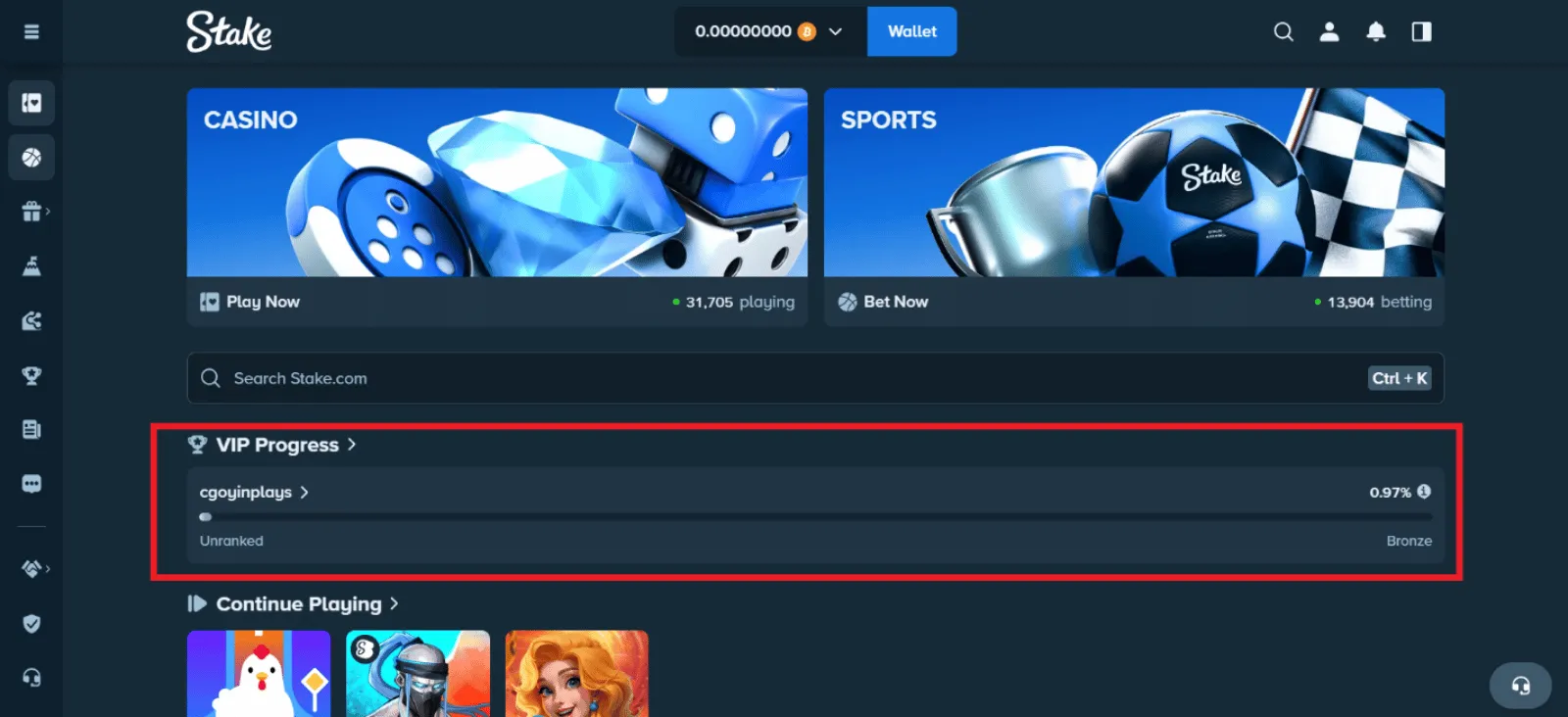
I could not find a dedicated tracker showing my progress toward the deposit wagering requirement. The VIP progress bar on the homepage did not show whether I had completed enough wagering to withdraw, so I tracked my bets and rounds myself.
Step 5 · Withdrawal
Score: 8.0 out of 10 Great
My 10.33 USDT Withdrawal Arrived in About 1–2 Minutes
- Amount
- 10.33
USDT - Paid out in
- 2 min
- Payment method
- ByBit
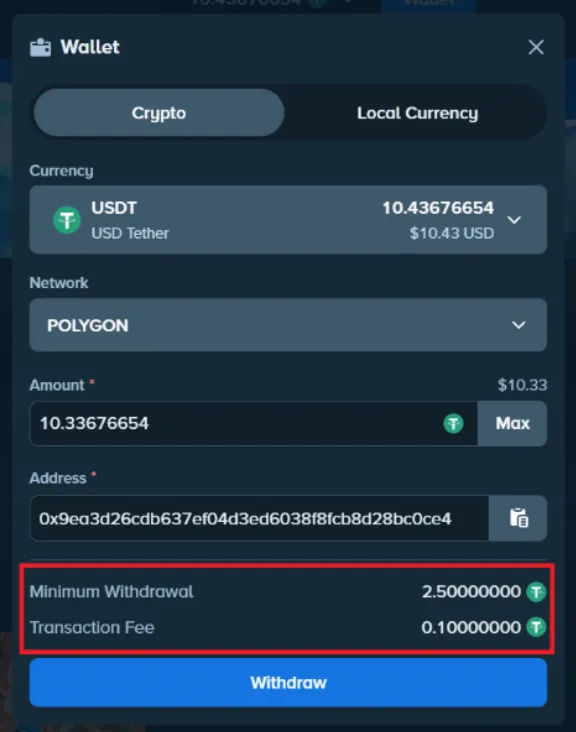
After completing the 1x deposit wagering requirement, my remaining balance was 10.43 USDT. The withdrawal page showed a 2.5 USDT minimum and a 0.10 USDT fee for Polygon, so I had enough to submit the cashout.
After I submitted the withdrawal, a pending notification appeared within seconds. Around one to two minutes later, 10.33 USDT reached my Bybit wallet.
That put my total Stake withdrawal time at around one to two minutes.
Step 6 · Support
Score: 9.0 out of 10 Excellent
Stake Support Replied Within Seconds
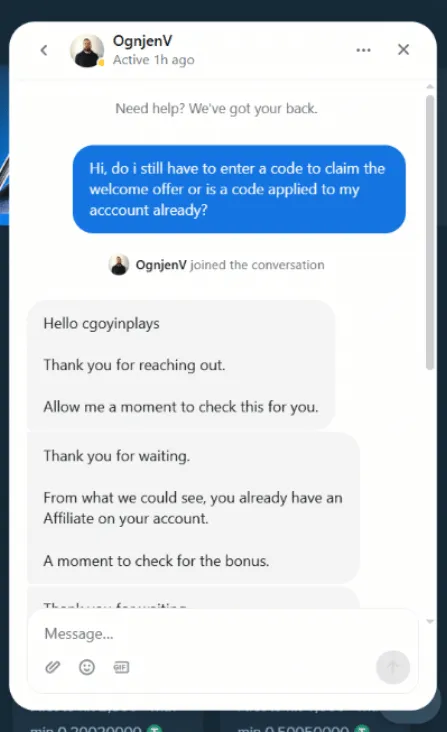
I contacted support to confirm whether there was a welcome offer active on my account. A live agent joined in under 10 seconds and, about a minute later, confirmed that a bonus code was active. However, the offer required a minimum 100 USDT deposit, which was above the 40 USDT budget I used for this test.
After my withdrawal, I returned to live chat and asked about bonuses and the VIP program. I again received responses without a long wait.
About this test
How we test Content Writer, Bonus & Real-Money Tester
Samuel is an experienced iGaming writer and casino tester with over 10 years of experience reviewing online casinos, testing games, and evaluating gambling platforms.
16 real-money tests- Test date
- Payment method
- ByBit
- Deposit
- 40
USDT Credited in 1 min - Withdrawal
- 10.33
USDT Paid out in 2 min
- Contributor
Last updated:
Meet the teamYou might also like...

 EarnBet Casino
- Deposit
- 50
USDT - Withdrawal
- 51.46
USDT
Tested on

 Duel Casino
- Deposit
- 50
USDT - Withdrawal
- 31.13
USDT
Tested on

 Shuffle Casino
- Deposit
- 50
USDT - Withdrawal
- Not completed
Tested on

 Thrill Casino
- Deposit
- 50
USDT - Withdrawal
- 20.35
USDT
Tested on
